


3D Modeling App: Sculpt & Draw
4.1393.00 Reviews
App Specs
- Version
- 1.20.17
- Updated On
- License
- Free
- Downloads
- 10,000,000+
- Developer
- 3D Modeling Apps
- Categories
- Art & Design
- Platform
- Android, iOS
Screenshots
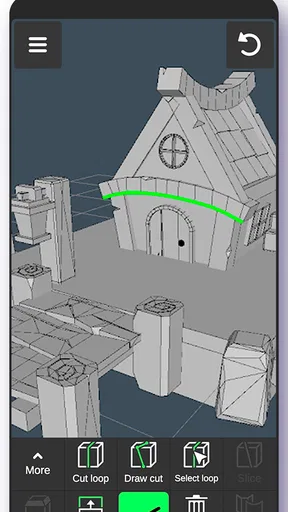
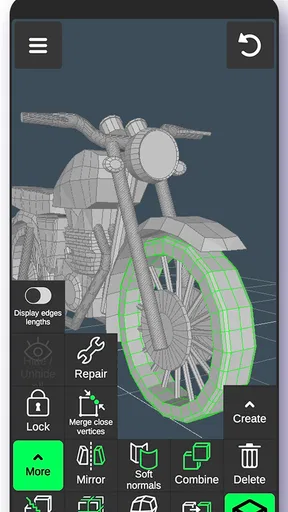
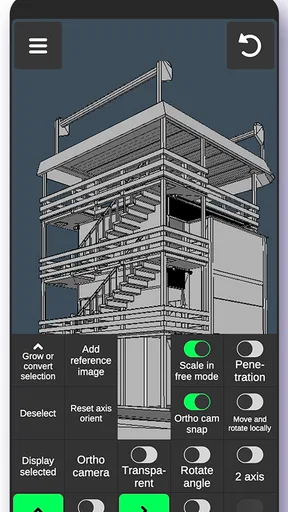
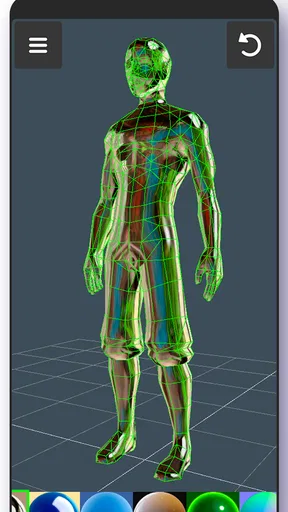
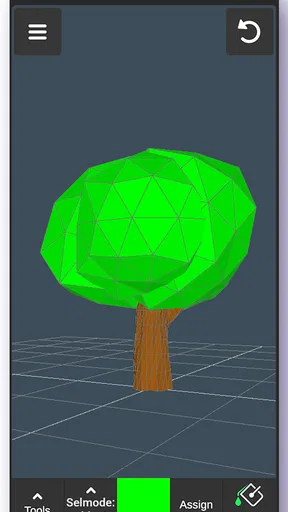
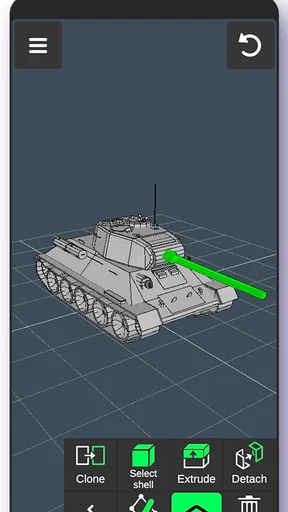
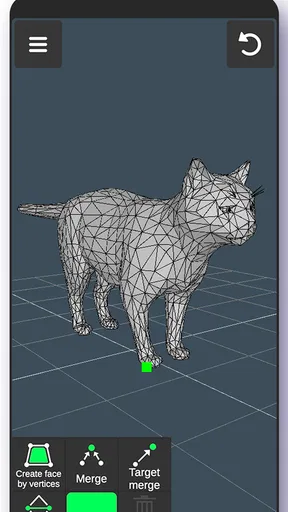
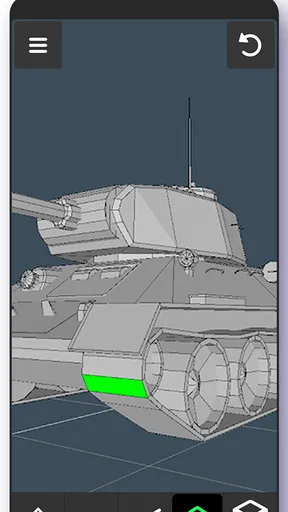
 Analysis by AppCompare
I think the key question with a mobile 3D art app is what you want to make on the device you already have. If your goal is to explore a shape, sketch an idea in depth, or enjoy sculpting in short sessions, 3D Modeling App: Sculpt & Draw has an appealing starting point. I wouldn’t treat it as an automatic replacement for desktop modeling software, though: the best fit depends on how much control and production-ready output you need.
Choose it for exploration, not a complicated pipeline
As an art and design app, its appeal is the chance to move between shaping a model and drawing on it without turning a creative experiment into a technical project. That makes it easier to try an idea while it is still rough. I find that useful when I want to test the silhouette of a character, make a simple prop concept, or show someone how a flat doodle might look as a form.
The developer is 3D Modeling Apps, and the app is free to install, with in-app purchases listed from $0.99 to $34.99 per item. That makes it easy to try before deciding whether it deserves a place in your regular toolkit. I’d approach purchases as optional extras rather than assume you need to pay to begin; first work out whether the basic sculpting and drawing flow suits the way you think.
A practical fit for small creative sessions
Picture a bus ride or a quiet break between tasks: you have a rough idea for a small creature, but no sketchbook handy. You can use the phone to block out its body, turn it around to check the proportions, and add marks that help communicate its personality. The value in that moment is not a polished asset; it is being able to capture and inspect an idea before it disappears.
That quick-start quality is especially useful for beginners, students experimenting with form, and illustrators who want a three-dimensional companion to their usual drawing process. A stylus can make careful marks feel more natural, while finger input is convenient for broad changes. For fine work, I’d use the largest screen available and zoom in deliberately rather than expect fingertip control to feel like a desktop mouse.
Where mobile sculpting asks for patience
Working on a small screen changes how you judge a model. A shape that looks convincing from one angle may feel awkward when turned, so I recommend rotating it often and checking the outline from more than one view. It is a simple habit, but it catches lopsided forms before you add surface detail that may be hard to rethink.
There is also a difference between enjoying a model inside a creative app and relying on it in a larger production workflow. If your priority is detailed technical modeling, a large library of specialist tools, or a predictable handoff to a particular professional pipeline, compare desktop 3D software and more focused modeling apps before committing. Those alternatives may take longer to learn, but their deeper controls can matter more than the convenience of creating on a phone.
Worth Reading Before You Choose

Flipboard Shows What News Apps Must Do Beyond the Feed

Switching to Android Auto Means Rethinking Your Driving Routine

Google Calendar Makes a Crowded Week Easier to Manage

Ludo King Makes the Most of the Minutes Between Plans

Baby Panda World Brings Quick Play to Modern Phones, but Its Game Library Feels Busy

ESPN’s Live Game View Makes Following Close Games Easier
What to check before making it part of your routine
It is rated for Everyone and requires Android 6.0 or later. The current version is 1.20.11; I’d check that your device can install it before planning a project around it. The app has a 4.4 average from around 14,000 ratings, and has passed 10 million installs, so it has reached a broad audience, though those figures alone cannot tell you whether its tools match your own needs.
Think ahead about what you want to do with a finished piece. Sharing a creation for friends to see is different from needing a model for a particular production tool, and an export option only helps if its format fits the next step in your process. Before spending time on a detailed project, try a small test model and see whether you can move it where you need it afterward. That quick check can prevent a frustrating surprise at the end.
If you already use a familiar 2D drawing app, you do not have to abandon it. I’d use this app for the part that benefits from depth—blocking out volume, checking a form from several directions, or adding marks directly to a model—and keep the other app for work it handles better. Treating it as a companion rather than an all-in-one studio is a sensible way to avoid forcing a mobile tool into a job it was not chosen for.
Ever wanted to unleash your inner Michelangelo right from your smartphone? Let me introduce you to 3D Modeling App: Sculpt & Draw, a nifty little app that’s been my latest obsession. Whether you're a pro designer or just someone who loves to doodle in 3D, this app is a game-changer.
Getting Started with Sculpt & Draw
First things first, downloading 3D Modeling App: Sculpt & Draw is a breeze. Available on both Android and iOS, I had it up and running in no time. The installation was smooth, and before I knew it, I was diving into the world of 3D art.
The app's interface is super user-friendly, which was a relief for someone like me who isn’t exactly tech-savvy. The main dashboard presents you with a variety of tools, and it’s all about exploring from there. The best part? You don’t need to be a professional artist to start creating something amazing.
Features That Stand Out
One of the coolest features is the array of sculpting tools it offers. From chisels to smoothing tools, it feels like you’re holding a digital sculpting kit in your hand. The app allows you to manipulate shapes with just a swipe, and the level of control is honestly impressive.
Another feature worth mentioning is the drawing tool. It allows you to sketch directly onto the 3D models, adding depth and details that can really bring your creations to life. The app supports a wide range of textures and colors, letting your imagination truly run wild.
For those who love a bit of guidance, the app offers tutorials and templates. I found these incredibly helpful when I first started. The templates are not only fun to play with but also serve as great learning tools.
Performance and Usability
Now, let’s talk performance. The app runs smoothly, and I didn’t encounter any major lags or crashes, which is a big win. It’s optimized well for both tablets and smartphones, so you can sculpt on the go or with a bigger screen if you prefer.
The usability extends to its export options. You can easily share your creations on social media or export them in various formats for further use. This makes it perfect for both hobbyists and professionals looking to showcase their work.
What Makes It Unique?
What sets this app apart is its community aspect. There’s an in-app gallery where you can share your creations and check out what others are doing. It’s inspiring and keeps the creative juices flowing. Plus, the feedback from fellow creators can be invaluable.
I also appreciate the app’s compatibility with stylus pens. If you’re like me and prefer the tactile feel of drawing, this feature will definitely enhance your experience. The precision and control are on par with what you’d expect from a dedicated drawing tablet.
Final Thoughts
Wrapping it up, 3D Modeling App: Sculpt & Draw is a gem for anyone interested in 3D art. It’s versatile, intuitive, and packed with features that cater to both beginners and more advanced users. Whether you’re creating for fun or for work, this app offers a fantastic platform to express your creativity.
So, if you’re ready to bring your ideas to life in three dimensions, give it a shot. Who knows? You might discover a hidden talent you never knew you had!
Pros
- Intuitive interface for beginners.
- Wide range of modeling tools.
- Smooth performance on most devices.
- Supports multiple file formats.
- Frequent updates with new features.
Cons
- Steep learning curve for advanced features.
- Some tools require in-app purchases.
- Limited export options for free version.
- Occasional crashes on older devices.
- No offline tutorials available.
FAQs for 3D Modeling App: Sculpt & Draw
What are the main features of the 3D Modeling App: Sculpt & Draw?
The 3D Modeling App: Sculpt & Draw offers a comprehensive suite of tools for creating detailed 3D models. Key features include intuitive sculpting brushes, a wide range of textures, customizable lighting, and easy export options. Users can also benefit from its layer-based editing and real-time rendering capabilities, making it suitable for both beginners and professionals.
Is the 3D Modeling App suitable for beginners?
Yes, the 3D Modeling App is designed with an intuitive interface that is accessible to beginners. It includes tutorials and interactive guides that help new users understand the basics of 3D modeling. Advanced features are also available for experienced users, making it a versatile tool for all skill levels.
What devices are compatible with the 3D Modeling App: Sculpt & Draw?
The app is compatible with both Android and iOS devices. It supports a wide range of smartphones and tablets, provided they meet the minimum system requirements for smooth operation. Ensure your device has enough processing power and storage to handle complex models efficiently.
Does the app support exporting models to other software?
Yes, the 3D Modeling App allows users to export their creations in various formats such as OBJ, STL, and FBX. This makes it easy to integrate with other 3D software for further editing or printing. The export process is straightforward, ensuring seamless workflow across different platforms.
Are there any in-app purchases or subscription fees?
The app offers a free version with basic features, while additional tools and advanced functionalities are available through in-app purchases. There is also a subscription option that unlocks all premium features and provides regular updates. Review the app store details to choose the option that best suits your needs.


